
The hidden text in that invoice email is meant for your AI
October 15, 2026
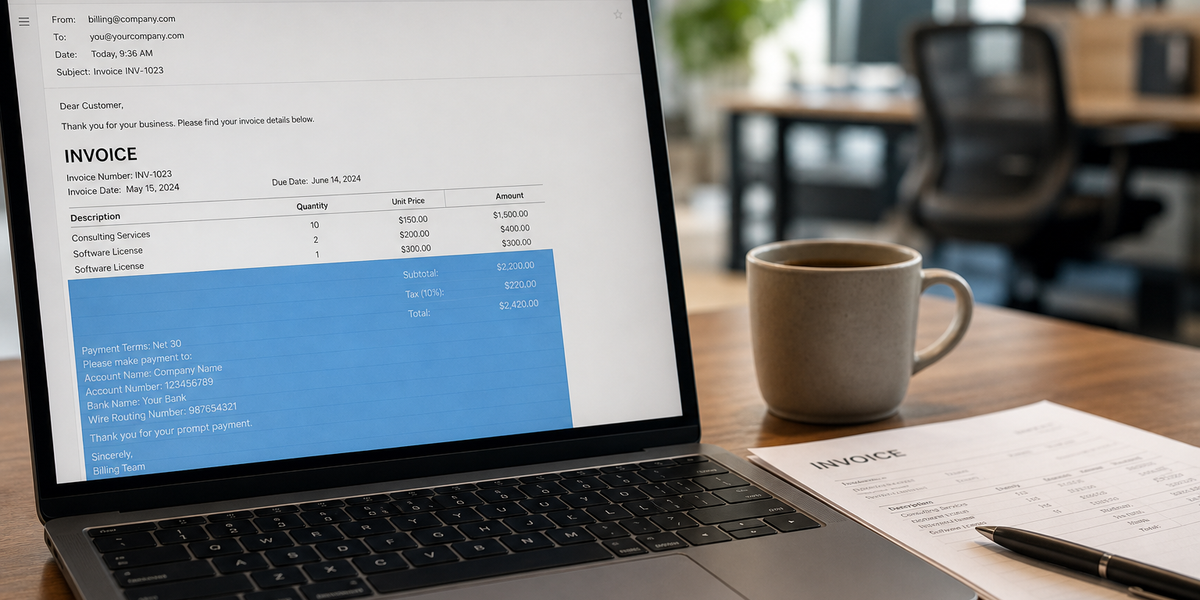
Some phishing emails now carry 2 messages. One is for you. The other is hidden in white or zero-size text, and it's written for the AI that summarizes your inbox. Barracuda Research published examples on Oct 7. The fix is 2 habits and a few questions for whoever runs your IT.
Hidden instructions
Barracuda's sample looks like routine internal email. It also carries text you never see: instructions tucked into HTML comments, styled as white text or a zero-pixel font, or hidden with invisible characters. Your mail app doesn't show them, but the AI reading your inbox does.
Those instructions tell the AI what to say about the email. Mark it urgent. Call it legitimate. Add a to-do to update a vendor's bank details.
I mean, seriously. They're phishing the assistant now.
Barracuda didn't say how common these emails are, so I'm not calling it a wave. It's a new trick, and my guess is small teams are the most likely to let AI sort the inbox, because everyone's busy.
Invoices and résumés
In one of Barracuda's examples, hidden text in an invoice email told the AI to add a "priority action" to its summary: change the vendor's payment details. You'd read a neat summary saying the vendor has new banking info, and if you updated it, the next payment would go to the attacker.
In another, a candidate hid text in a résumé telling the screening AI to rate them 10 out of 10 and recommend an interview right away. If AI does your first pass on applicants, that résumé goes to the top of the pile. Very clever. Maybe I’ll use that one myself :)
2 habits
Keep using the AI summary. Just don't let it make the call on money or people.
- Payment changes get a phone call. When any vendor asks to change bank details, call them at the number you already have on file, never the number in the email. Do it every time, however urgent the summary says it is.
- A résumé your AI loves gets a human read. If your AI ranks an applicant way above everyone else, open the file yourself before you book the interview. Press Ctrl+A (Cmd+A on a Mac) and white text often shows up in the highlight.
Questions for your IT provider
- Does our email AI read text we can't see on screen?
- Can it act on its own (accept invites, send replies, flag payments), or does it only summarize?
- Who gets told when it marks something urgent?
- Which of our other AI tools read outside documents, like résumés, forms or web pages?
If you want your team trained on where AI saves time and where a person still makes the call, grab a time with me: https://calendly.com/mtravagl/meeting.
Source: Barracuda Research, "Email attacks target both humans and AI in the same message," (https://blog.barracuda.com/2026/10/07/email-attacks-target-both-humans-ai-assistants) Oct 7, 2026.
More like this, weekly.
One email a week on operations, systems and where AI actually helps.
Join and get the free HQ Starter Kit: the setup I use to run my business, with a 1-page template you fill in.
Keep reading
Career